
Mid-sized companies with 100-500 employees face a unique challenge: managing merit cycles, bonus allocations, and pay equity analysis with just 1-2 HR staff. Manual spreadsheets break down when approval workflows span multiple layers and market benchmarking demands continuous updates.
When 1-2 HR staff manage compensation for 100-500 employees, the right software prioritizes automation over advanced analytics, seamless HRIS integration over bi-directional payroll sync, and ongoing admin workload reduction over feature breadth. Mid-sized companies need tools that eliminate spreadsheet risk and compress merit-cycle timelines—not platforms built for dedicated compensation teams.
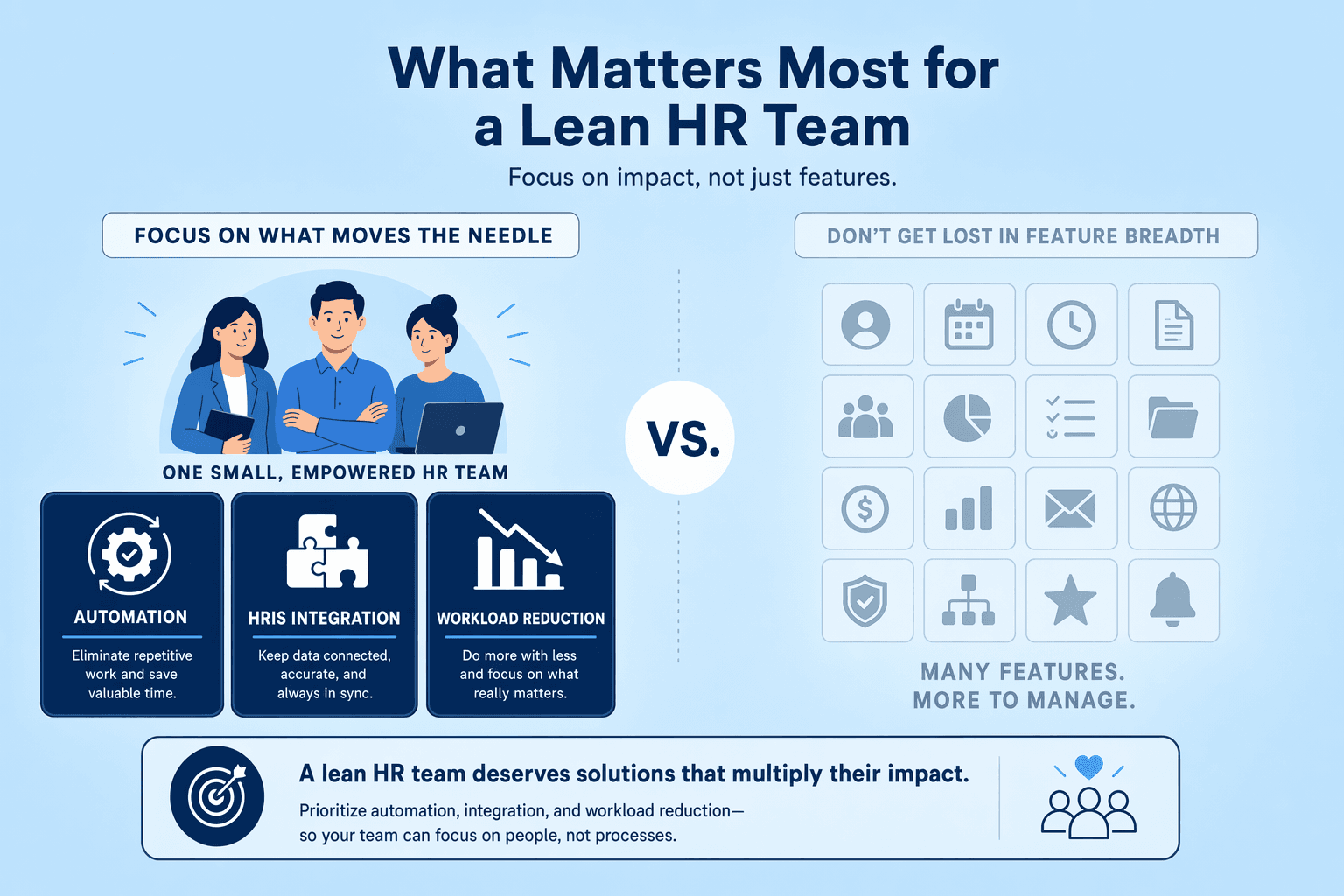
Mid-sized companies typically operate with HR-to-employee ratios of 1:100 or leaner, leaving compensation planning to one generalist alongside recruiting, benefits, and compliance. Annual merit cycles executed in spreadsheets consume 40-60 hours of manual work—budget modeling, approval routing, error-checking—before a single manager enters a recommendation. While 75% of organizations report running pay equity audits, nearly half do so only every few years, often because audit preparation alone demands analyst time these teams don't have. What this means: without automation, proactive equity analysis becomes a deferred task, and compensation strategy defaults to firefighting mode.
Automation of merit cycles, bonus allocations, and approval workflows isn't a 'nice-to-have' feature when HR capacity is constrained—it's the first filter. Platforms that automate merit calculations, flag budget overruns before approvals finalize, and route recommendations through manager hierarchies compress cycle time by 50-75%. Purpose-built tools like CompUp prioritize real-time budget tracking and automated merit planning, enabling one HR generalist to orchestrate the full cycle without building formulas or manually reconciling manager submissions. What to skip: advanced equity auditing dashboards and multi-tier incentive modeling. Defer these until headcount crosses 100 employees in regulated states or your team adds a dedicated compensation analyst.
Integration requirements exist on a spectrum: manual CSV uploads (worst-case baseline), read-only HRIS sync (imports employee data, job titles, and current salaries automatically), and bi-directional payroll integration (writes approved changes directly into payroll). For mid-sized companies, read-only sync is often sufficient—it eliminates the weekly spreadsheet export ritual and ensures compensation planning reflects live org data. Bi-directional integration becomes necessary only when headcount changes weekly or payroll corrections demand real-time two-way flow. Compensation management software streamlines workflows by integrating seamlessly with existing HR and payroll systems, and vendors offering read-only connectors to major HRIS platforms (Workday, BambooHR, Rippling) deliver 80% of the integration value at half the implementation cost of full bi-directional sync.
With core automation requirements clear, the next step is distinguishing features that justify implementation effort from those that add complexity without capacity gains.
Resource-constrained HR teams cannot adopt every compensation management feature at once. This three-tier framework maps feature priorities to team capacity: start with what eliminates manual risk, then layer in efficiency tools, and finally invest in advanced analytics when headcount and regulatory exposure demand it.
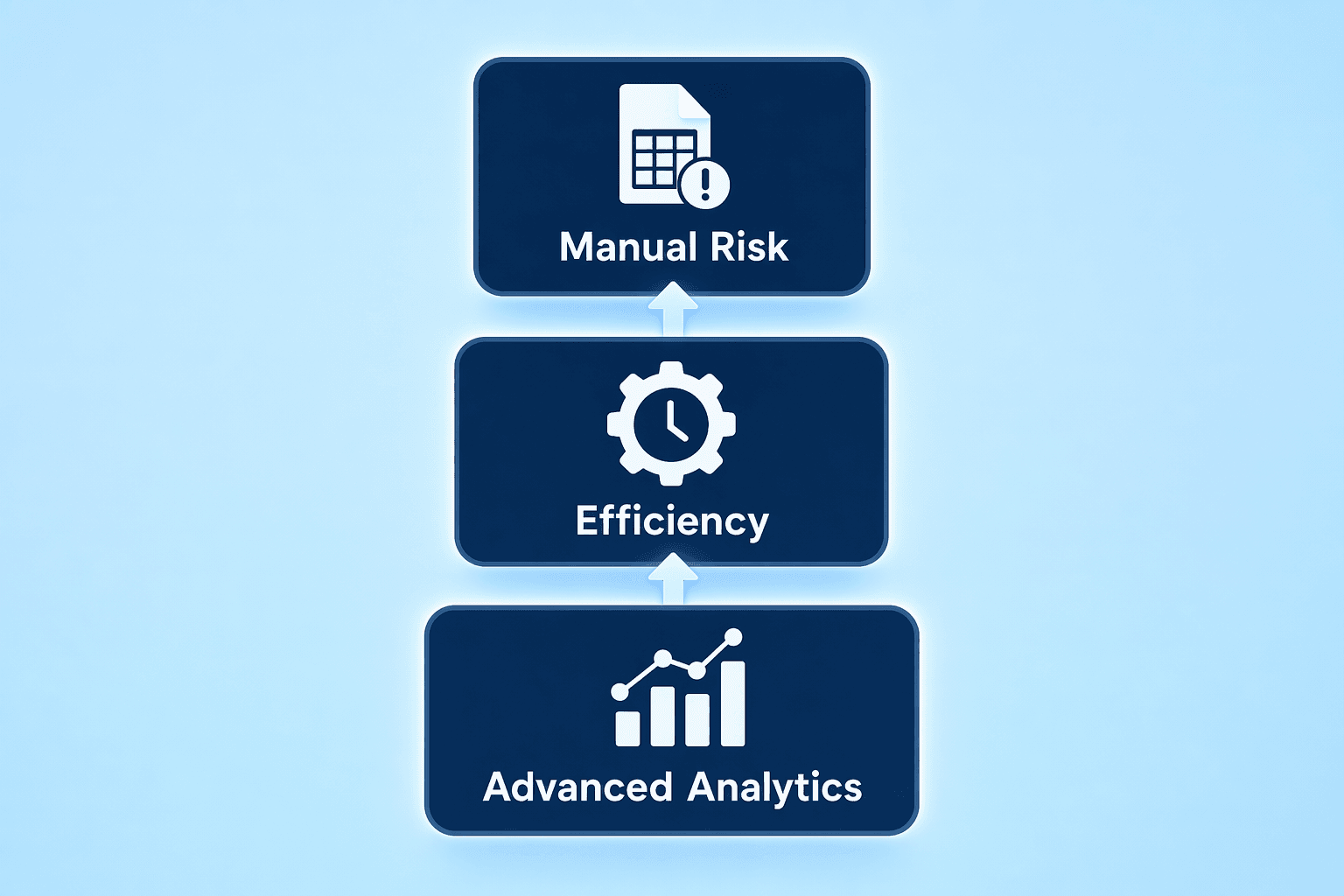
Teams with under one full-time HR equivalent should prioritize automated merit matrices and budget-tracking workflows. Manual spreadsheet planning introduces version control failures and audit gaps—58% of organizations still manage compensation planning in spreadsheets, and those without structure are 3.1× less likely to close merit cycles on time. Automated systems flag overspend before approvals finalize, route proposals through role-based workflows, and log every decision with timestamps. Tier 1 features eliminate the highest-cost failure modes: budget overruns, inconsistent manager decisions, and missing documentation.
Once HR capacity reaches one to two FTEs, add automatic employee data refresh via HRIS API. Read-only HRIS sync replaces manual CSV uploads each cycle, reducing data-entry errors and freeing HR time for strategic work. Pair this with static salary benchmarks, market snapshots updated quarterly are sufficient for most mid-sized companies. Real-time benchmarking is valuable but not key at this stage; annual or biannual data refreshes handle typical planning cadences without the cost of live feeds.
Prioritize Tier 3 features when headcount exceeds 200 employees or when facing state-level pay transparency mandates. California and New York laws require audit trails and equity reporting, making continuous pay equity monitoring critical under regulatory pressure. CompUp's real-time benchmarking database updates continuously based on market movement, supporting reactive adjustments during volatile talent markets. For smaller teams or companies without regulatory triggers, defer these analytics until the HR function matures—Tier 1 automation and Tier 2 integration deliver higher immediate ROI.
Key Takeaways: Map feature adoption to HR capacity. Under 1 FTE stops at Tier 1 (merit automation); 1-2 FTE adds Tier 2 (HRIS sync + static benchmarks); 2+ FTE or California/New York operations justify Tier 3 (real-time data + equity monitoring).
Suggested Read: Platform Options by Company Scenario
Feature prioritization frameworks are useful, but real-world platform choices depend on existing vendor relationships, growth trajectories, and compliance obligations.
Choosing compensation planning software is rarely a one-size-fits-all decision. Mid-sized companies face distinct operational constraints—existing payroll provider integrations, rapid headcount expansion, and compliance mandates—that shape which platform best fits their needs. Below, we map leading tools to three common scenarios.
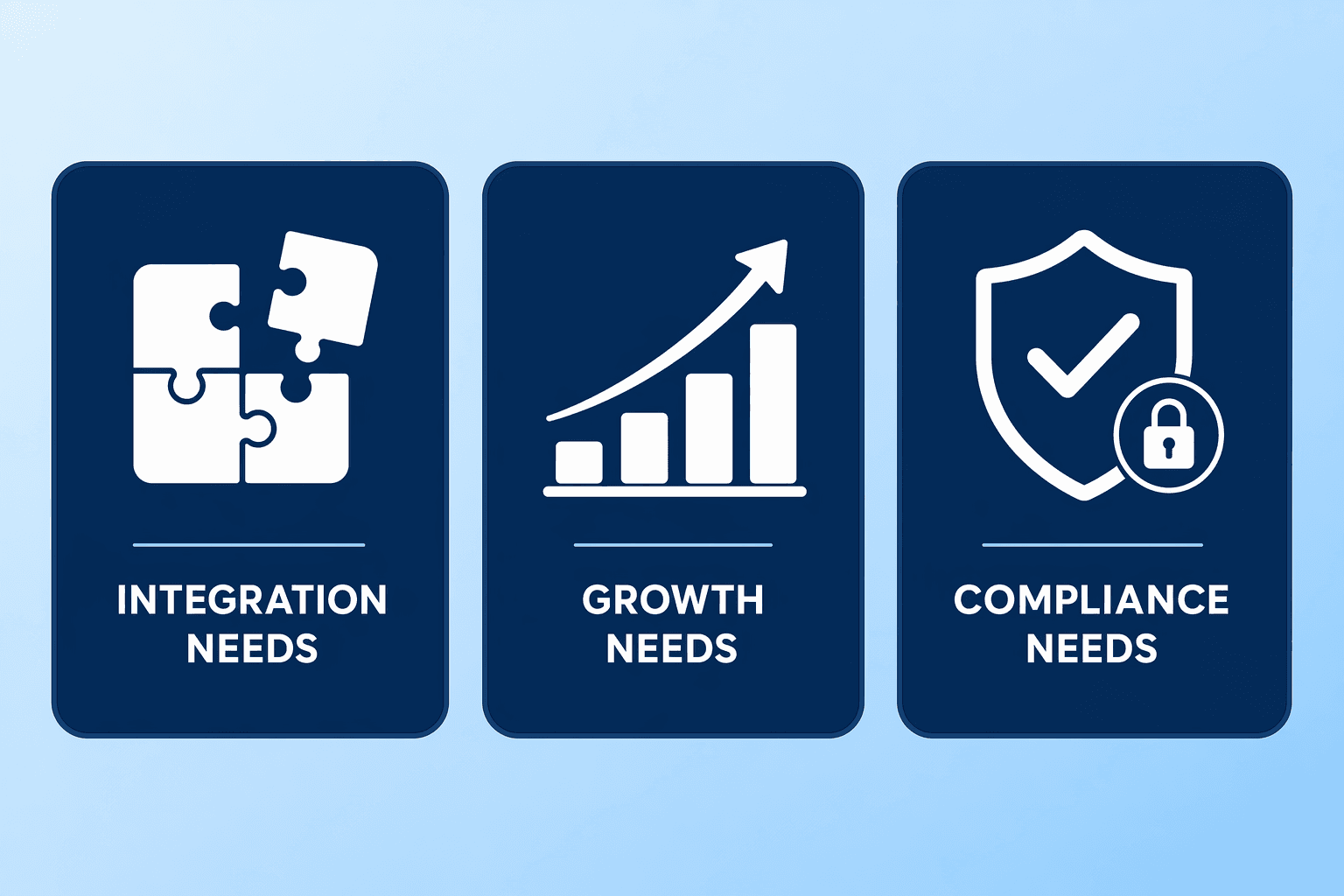
Many organizations already rely on payroll providers like ADP or Paycor and face integration costs if they adopt a separate compensation tool. Embedded modules (Deel, ADP's native comp planning) offer convenience but often lack real-time benchmarking and advanced equity analysis. Purpose-built platforms like CompBldr, Pave, OpenComp, and CompUp integrate seamlessly with HRIS, payroll, and recruitment software, delivering richer data without forcing a full payroll migration.
When to stay embedded: Your payroll provider's comp module covers merit cycles adequately, and your budget for a second vendor is constrained. When to adopt standalone: You need real-time salary benchmarking, scenario modeling for promotions and bonuses, or pay equity audits that embedded tools do not support. CompUp integrates with over 50 HR systems, ensuring you can layer specialized compensation planning atop your existing payroll stack.
Fast-growing companies cannot afford multi-quarter implementations. Platforms with rapid onboarding, CompUp, Pave, Barley, typically launch in 6 to 10 weeks and offer per-employee pricing models that scale linearly with headcount. Contrast this with beqom or HRSoft, which deliver enterprise-grade workflows but require longer setup cycles and may impose flat-rate subscriptions that become expensive as you cross 100 employees.
Key differentiator: CompUp provides real-time compensation benchmarking that updates continuously based on market movement, ensuring salary bands keep pace with hiring velocity. If you're doubling headcount inside 18 months, prioritize platforms that combine fast implementation with live market data.
Companies subject to California's SB 1162, New York's pay transparency law, or external DEI audits need native pay equity analysis. Beqom, Salary.com, and CompUp offer automated pay equity audits that identify disparities across gender, race, and role classifications. Platforms without this feature force HR teams into manual spreadsheet audits, time-consuming and error-prone.
Non-negotiable for high-risk jurisdictions: If your workforce includes California or New York employees, ensure your chosen platform logs every proposal, approval, and override with reviewer and timestamp. This audit trail is the foundation of defensible compliance reporting.
Without dedicated compensation analysts on staff, mid-sized buyers need evaluation criteria that surface ongoing admin burden and total cost of ownership, not just demo-day feature lists.
Mid-sized companies without compensation specialists need a clear framework to assess software that won't require a full-time admin just to keep it running. The evaluation process should focus on three dimensions: hidden maintenance workload, pricing model alignment with growth trajectory, and total cost of ownership beyond subscription fees.
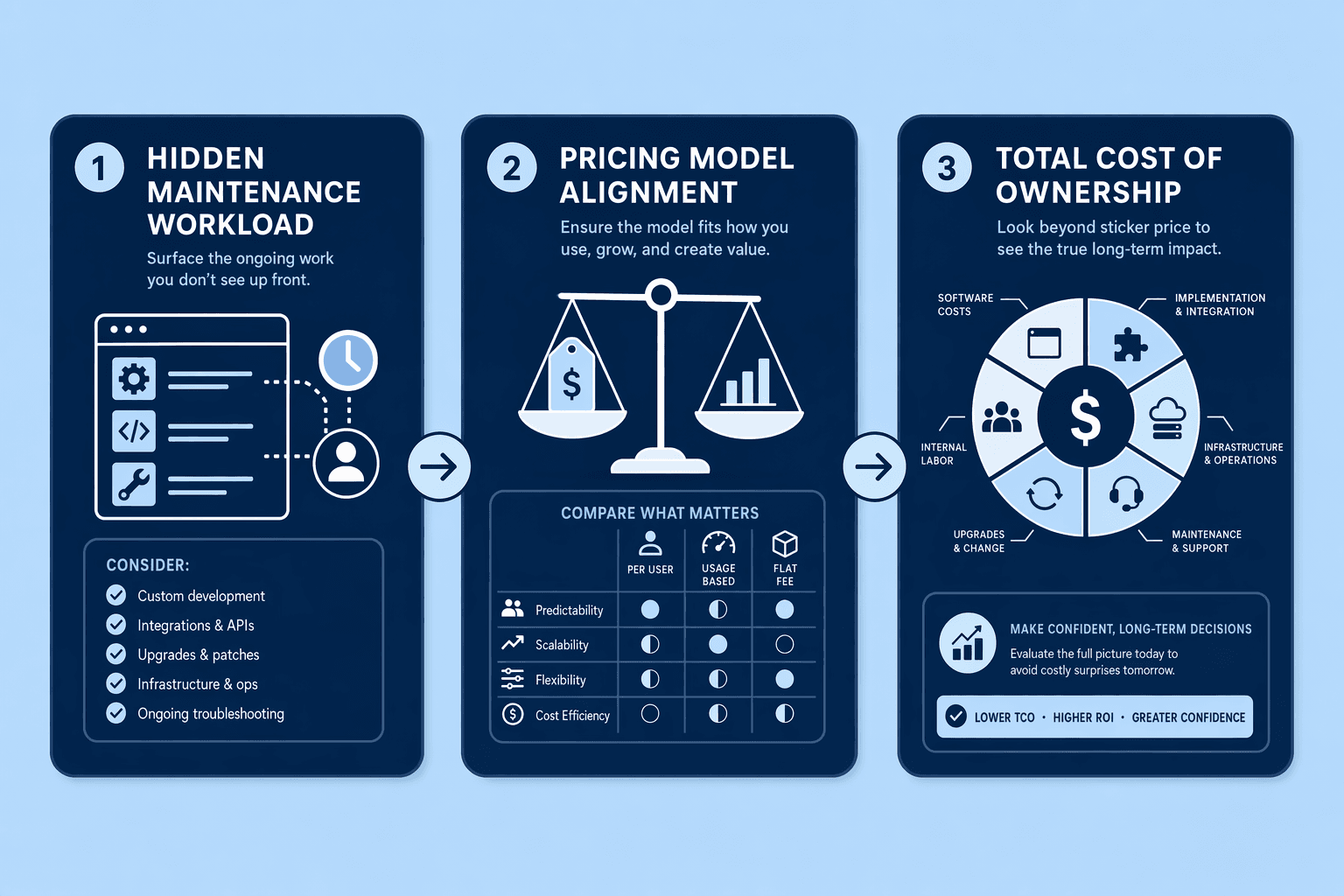
Vendor demos highlight workflow automation but rarely disclose the ongoing hours required per compensation cycle. Before signing, ask: 'How many hours per quarter does a typical customer with 200 employees spend on data hygiene, approval-workflow adjustments, and system maintenance?' Platforms that eliminate manual reconciliations and offer real-time budget tracking significantly reduce admin burden. CompUp's self-service onboarding and continuous benchmarking updates reduce both implementation fees and ongoing admin workload. Request a quarterly maintenance-hour estimate in writing during procurement.
Per-employee pricing scales with headcount, while flat-rate subscriptions remain predictable but can become expensive at high headcount. Use this decision matrix: if annual growth is below 20%, flat-rate subscriptions provide budget certainty; if growth is 20 to 40%, per-employee pricing avoids surprise overruns; above 40% annual growth, negotiate custom enterprise pricing upfront. Transparent subscription-based pricing helps businesses forecast and manage budgets more effectively. Model your three-year headcount projection before committing to a pricing structure.
Key Takeaways: TCO includes implementation fees, training time, per-user charges, and annual benchmarking data updates. Mid-market implementations for platforms like beqom and HRSoft range from $5,000, $20,000, compared to $0, $2,000 for self-service tools. CompXL Merit Planning supports 96+ currencies and connects with existing HRIS platforms, which can add integration costs. Calculate a three-year TCO by adding base subscription, implementation, annual training refreshers, and any per-cycle data fees. Platforms with high upfront implementation costs are often cheaper over three years than low-subscription tools with recurring per-cycle fees.
Also Read: Common Mistakes Mid-Sized Companies Make When Choosing Compensation Software
Even with a structured evaluation framework, mid-sized companies frequently fall into predictable traps that turn software investments into admin liabilities.
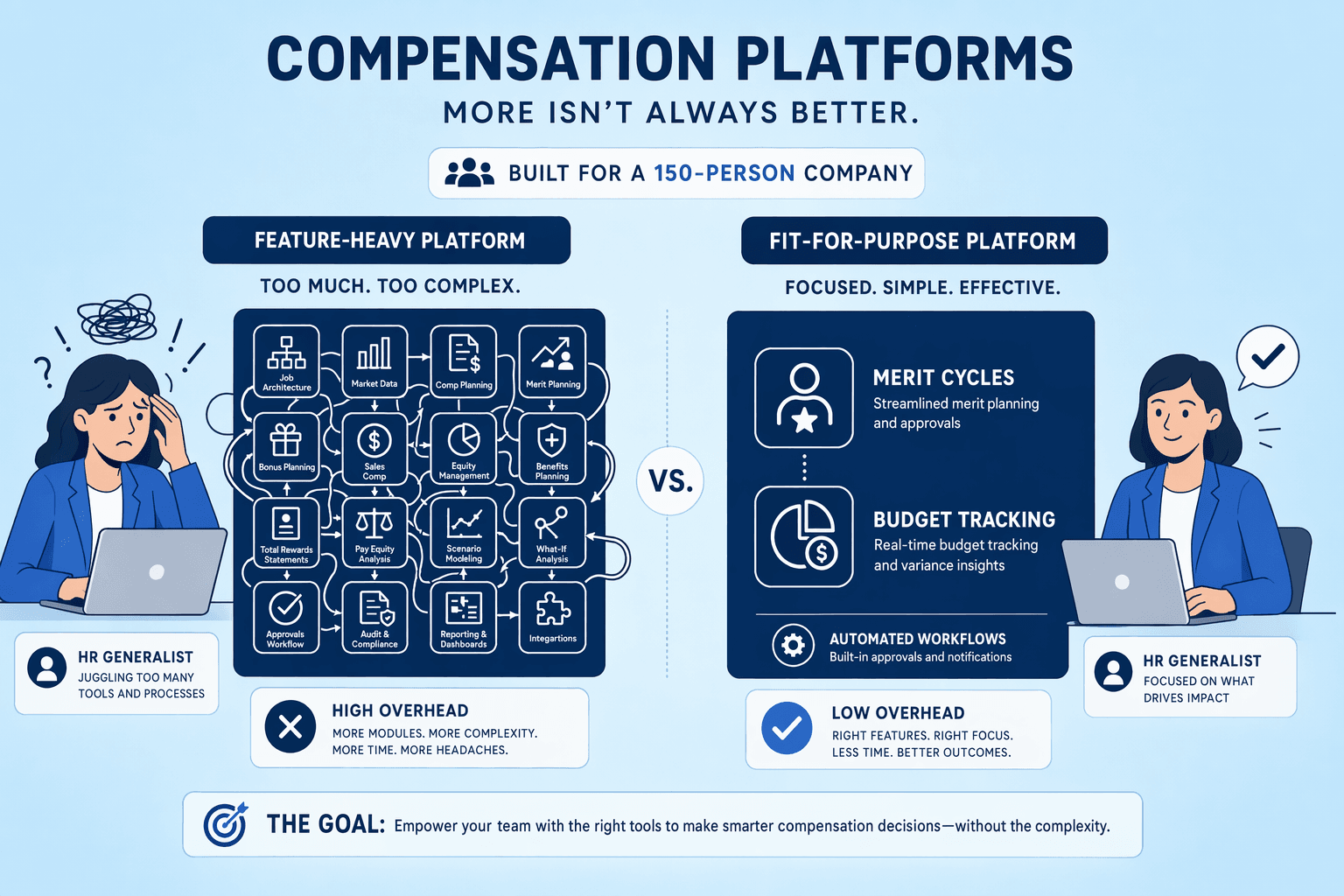
A 150-person company adopted a platform with 200+ features because it scored highest on feature-comparison checklists. Six months later, their single HR generalist couldn't configure half the modules, they reverted to spreadsheets. Mid-sized companies often conflate feature breadth with value, assuming more capabilities equal better outcomes. In reality, platforms like beqom and HRSoft excel at enterprise complexity but demand multi-person teams to configure workflows, maintain integrations, and interpret analytics. When HR capacity is <2 FTE, ease of use should trump feature count: look for platforms that automate merit cycles and budget tracking without requiring workflow diagram training.
Many mid-sized buyers assume 'we'll just do a CSV upload each cycle' works at scale. It doesn't. Manual data syncs introduce version-control errors, consume hours reconciling employee records, and break when headcount crosses 100. Read-only HRIS sync, where the comp platform pulls employee data, job titles, and department structures automatically, is the minimum acceptable integration. Bi-directional sync (write-back to HRIS after approval) eliminates re-keying entirely. Before signing, verify the platform connects to your HRIS (BambooHR, Workday, ADP) via native API, not vendor-managed file drops.
Payroll providers (ADP, Paycor) often bundle basic comp modules as 'free add-ons.' Mid-sized companies default to these tools to avoid managing another vendor relationship, but embedded comp modules rarely support merit matrix automation, real-time benchmarking, or approval workflows. A standalone tool delivers better ROI when merit cycles involve >50 employees. CompUp integrates with HRIS, payroll, and performance management systems while offering scenario modeling for merit cycles, features that embedded tools rarely offer. Evaluate comp platforms on automation depth, not payroll-vendor convenience.
Enterprise-grade platforms like CompUp and Pave deliver better ROI through faster onboarding and lower admin overhead. All-in-one HR platforms such as Deel and ADP embedded modules provide payroll integration by default but rarely match the real-time benchmarking and merit cycle automation depth of standalone compensation tools—companies locked into a payroll provider should evaluate whether the embedded comp module meets their automation needs before defaulting to it.
As pay transparency regulations expand beyond California and New York to more states in 2026-2027, mid-sized companies will face increasing pressure to adopt software with built-in pay equity analysis and audit trails, even those currently below regulatory thresholds should prioritize platforms that offer equity features as optional add-ons rather than retrofitting later.
Start by auditing your current merit cycle workload, hours spent on spreadsheets, approval routing, data syncs, to quantify the automation ROI, then demo 2-3 platforms from the scenario matrix above that match your payroll provider, growth trajectory, and compliance needs. CompUp's self-service trial lets you test real-time benchmarking and merit workflows in under a week.
Once headcount exceeds 50-75 employees and merit cycles involve 3+ approval layers, spreadsheet-based compensation planning breaks down. Software becomes cost-effective when the time saved, typically 20-40 hours per cycle, exceeds the subscription cost, especially when automation of merit cycles and approval workflows replaces manual routing.
Per-employee pricing scales linearly with headcount, making it safer for companies growing over 30% annually. Flat-rate subscriptions offer predictable budgeting but become expensive once headcount exceeds tier thresholds, for example, a $10k/year plan for 100 employees may jump to $20k at 150 employees.
Most platforms support read-only HRIS sync with major payroll providers like ADP, Workday, and BambooHR, importing employee data and current salaries automatically. Bi-directional payroll sync, writing approved compensation changes directly back to payroll, is less common and often requires custom API configuration.
Real-time benchmarking updates salary ranges continuously based on market movement, with monthly or quarterly refreshes. Static salary data uses annual surveys that lag market changes by 6-12 months, leaving companies exposed to competitive pay gaps during rapid market shifts.
Pay equity audits are legally required in states like California (SB 1162) and New York once headcount crosses 100 employees. Below that threshold and outside regulated states, basic benchmarking and merit cycle automation are higher priorities, defer advanced equity analytics until approaching regulatory thresholds.
Self-service platforms like CompUp, Pave, and OpenComp typically onboard in 1-2 weeks with minimal IT involvement. Enterprise-grade platforms such as beqom and HRSoft require 4-12 weeks for implementation, data migration, and workflow configuration, increasing time-to-value for resource-constrained teams.
Typical maintenance includes quarterly data hygiene (cleaning employee records, updating job titles), annual benchmarking data refreshes, and workflow adjustments for organizational changes. Platforms with automated HRIS sync reduce this to 2-5 hours per quarter; legacy tools requiring manual CSV uploads can require 10-20 hours per cycle.
Community Manager (Marketing)
As a Community Manager, I’m passionate about fostering collaboration and knowledge sharing among professionals in compensation management and total rewards. I develop engaging content that simplifies complex topics, empowering others to excel and aim to drive collective growth through insight and connection.
Revolutionizing Pay Strategies: Don't Miss Our Latest Blogs on Compensation Benchmarking